


AI! Chatbot Agent-Ask & Chat
4.2295.00 Reviews
App Specs
- Version
- 3.8.0
- Updated On
- License
- Free
- Downloads
- 1,000,000+
- Developer
- MATdev
- Categories
- Productivity
- Platform
- Android
Screenshots

 Analysis by AppCompare
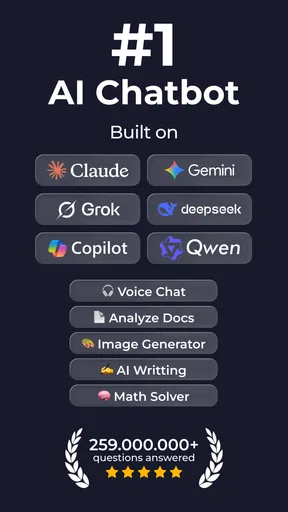
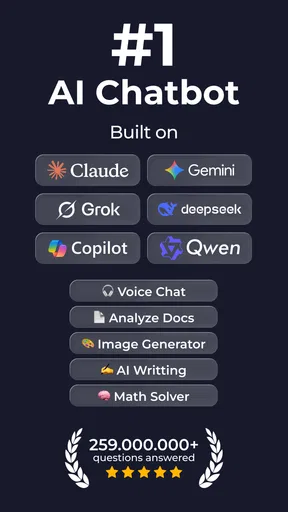
I approached AI! Chatbot Agent-Ask & Chat as a first-time user looking for a practical helper, not a replacement for every app on my phone. The promise that caught my attention is the option to chat with several current AI models in one productivity app. That can make it a useful place to try a question, shape a rough idea, or get help drafting something without beginning in a web browser.
What to expect from the chat
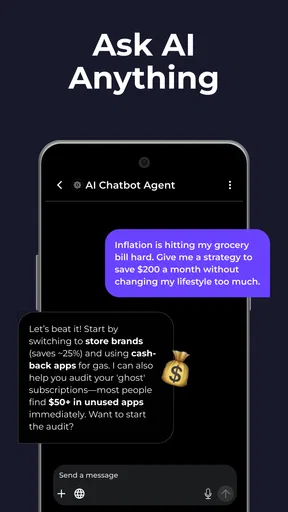
The core experience is a conversation: you write a request, read the response, and follow up with more detail when the first answer is too broad. That sounds simple, but the quality of the result still depends on how clearly you explain what you need. I get more useful help by giving the chatbot a role, a goal, and a constraint rather than sending a vague prompt such as “help me write this.”
For example, if I need to reply to a message, I can describe who I am writing to, what I want to say, and whether I want the tone to feel friendly or formal. I then check the draft and make it sound like me before using it. This is a better fit for the app than expecting one short prompt to produce a finished, trustworthy answer every time.
The app is free to install, while in-app purchases range from $1.99 to $59.99 per item. I’d treat the free entry point as a chance to see whether the chat fits my routine before paying for anything. If you’re comparing it with a single-model chatbot, the appeal here is having a choice of AI models; the trade-off is that different models may respond differently to the same request, so a change in answer does not automatically mean one is correct.
Getting a useful first result
For my first useful result, I’d pick a small task with an obvious outcome, such as turning a few rough notes into a tidy checklist. I’d include the audience and preferred length, then refine one detail in a follow-up; that quick loop shows whether the chat is helping without asking it to take over the task.
The setup
Getting started is a breeze. You just need to sign in or create an account, which hardly takes a minute. Once you're in, the app offers a brief tutorial that’s actually helpful. It guides you through the basic commands and how to make the most out of your new AI companion. I found this super useful since it highlights features I might have missed otherwise.
For a first session, I’d choose a low-stakes task that has a clear finish line: turn a scattered list into a short plan, make a note easier to understand, or draft a polite message. That gives you a quick way to judge whether the response is relevant and whether you like the conversational style. There’s no need to begin by sharing private details or relying on the chatbot for a consequential decision.
Worth Reading Before You Choose

EA SPORTS FC Mobile 26 Is a Bigger Football Game, but It Takes Time

Flipboard Shows What News Apps Must Do Beyond the Feed

Switching to Android Auto Means Rethinking Your Driving Routine

Google Calendar Makes a Crowded Week Easier to Manage

Ludo King Makes the Most of the Minutes Between Plans

Baby Panda World Brings Quick Play to Modern Phones, but Its Game Library Feels Busy
Features that shine
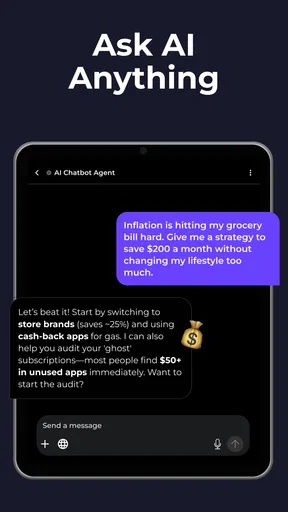
Okay, let’s dive into what makes this app tick. The main attraction here is the chatbot itself. It's designed to handle a variety of tasks, from answering random questions to managing your schedule. I tested it with different queries—from what’s the weather like to more complex stuff like helping draft an email—and it handled them all with ease.
A useful way to approach a planning request is to give the chatbot the boundaries that matter: the task, the time available, and what must be done first. Then ask it to return a short sequence rather than a long stream of suggestions. I’d still put any resulting appointment or reminder into the calendar or task app I already trust; a chat answer can help me think through a schedule, but I wouldn’t assume it has changed anything elsewhere on my phone.
That distinction matters when deciding between this app and a conventional productivity tool. A calendar is better for storing confirmed events and alerting you at the right time. A notes app is better for keeping information you need to retrieve later. This chatbot is most useful upstream: it can help turn an unclear intention into a draft, checklist, or set of questions, which I can then move into the tool meant to keep it.
Personalizing the conversation
One thing I appreciate is the personalization. The app asks for your preferences and adapts accordingly. Whether you prefer a humorous tone or a more formal approach, it adjusts to suit your style. It’s pretty cool, especially if you’re using it regularly.
I’d use that flexibility deliberately rather than assuming a preferred tone is right for every task. A casual style may be pleasant for brainstorming, while a work email needs clear wording and fewer flourishes. Even when the chatbot seems to understand your preferences, I’d restate any important requirement in the prompt—such as “keep this under three sentences” or “don’t make promises”—so the immediate request is explicit.
A first successful everyday task
Picture a busy morning when I have a few errands, a message to answer, and a half-formed idea for a work note. I can ask for the errands to be grouped into a sensible order, request a concise reply to the message, and ask for the note to be organized into a few main points. I’d review each result separately instead of asking the chatbot to solve the whole morning in one oversized prompt.
This kind of small, repeatable use is where I see the clearest value. The app can reduce the effort of getting started, especially when I know roughly what I want but cannot find the right words. The final check remains mine: confirm details, remove anything that sounds unlike me, and transfer useful items to the place where I will actually follow through.
How I judge the answers
Now, let’s talk about how well it performs. In my experience, the app is super responsive. There were no noticeable lags, even when I bombarded it with multiple tasks. It’s also pretty good at understanding context, which is crucial for any chatbot worth its salt.
However, like any technology, it's not perfect. There were a couple of instances where it misunderstood a query, but that’s pretty rare. And honestly, it’s more amusing than frustrating when it happens.
When a response misses the point, I find it more productive to correct one specific thing than to repeat the original request unchanged. I might say, “Keep the same facts, but make the tone warmer,” or “You treated this as a confirmed appointment; it is only a possibility.” This gives the conversation a clearer direction and also helps me spot whether the mistake came from an ambiguous prompt or an answer I should not rely on.
Choosing among AI models
The app’s multi-model angle is helpful when I want a second take, but I wouldn’t turn every simple query into a contest between answers. For routine drafting, one response may be enough. For a decision with meaningful consequences, comparing responses can reveal different angles, but agreement between chatbots is not proof that a claim is true. I’d verify important facts with a dependable source rather than treating a confident tone as evidence.
This is also a good reason to keep prompts focused. If I ask for a short explanation and receive something too general, I can add the audience and the level of detail I need. If I am weighing options, I can ask for assumptions and drawbacks to be separated from recommendations. Those small changes make the chat more useful without requiring specialist knowledge of AI.
Privacy and sensible boundaries
Given that this app deals with potentially sensitive information, it’s important to mention privacy. The developers clearly take this seriously. They provide detailed explanations about data handling and have robust security measures in place. It’s comforting to know that your data isn’t being tossed around without care.
Even so, I’d keep personal information out of prompts unless it is genuinely needed. I can replace names with roles, remove account details, and summarize a situation without including identifying specifics. That is a practical habit for any AI chat service, particularly when asking for help with work messages, personal correspondence, or documents.
If you are wondering whether it can replace a personal assistant, I’d say it is better understood as a flexible text-based helper. It can assist with thinking, wording, and organizing, while you remain responsible for checking the answer and carrying out the task. For hands-free control, guaranteed reminders, or a permanent record of appointments, a dedicated assistant, calendar, or task manager is the more suitable choice.
Who it suits—and when I’d choose something else
I can see this app working well for students who want to brainstorm study questions, people who regularly write messages or short drafts, and anyone who likes testing different AI approaches without treating a chatbot as an authority. It may also suit a first-time AI user who wants to start with ordinary questions and build confidence by refining prompts one step at a time.
I would skip it if what you really need is a structured project manager, a dependable calendar, or a place to archive and retrieve documents. Those tools are designed around saved records and repeatable workflows, while a conversation is designed around generating and refining responses. I’d also avoid making it the sole source for medical, legal, financial, or other high-stakes decisions; a chatbot can help organize questions to ask a qualified person, but it should not replace that person’s judgement.
Room for improvement
While AI! Chatbot Agent-Ask & Chat is pretty impressive, there's always room for improvement. I’d love to see more integrations with other apps. Imagine if it could seamlessly work with your favorite productivity tools or social media apps? That would be a game-changer.
Also, a few more customization options for the interface wouldn’t hurt. It’s already user-friendly, but having the ability to tweak it to personal tastes could enhance the experience further.
Another trade-off is that a multi-model choice can add a decision to an otherwise simple task: which model should I use, and is switching worth the extra effort? For a quick rewrite or idea list, I’d start with the default path and judge the answer on its usefulness. I’d only compare another model when the first result is unclear, misses an important angle, or needs a different style. That keeps the choice practical instead of turning every prompt into extra work.
What to know before installing
AI! Chatbot Agent-Ask & Chat is a productivity app from MATdev. It is free to install, rated for Everyone, and has an average rating of 4.2 from around 18,000 ratings, with more than 500,000 installs. It was released on May 7, 2024, and version 3.1.6 requires Android 8.0 or later. Those details make it approachable for many Android users, though the available in-app purchases are worth keeping in mind if you plan to use it regularly.
If you are deciding whether to try it, I’d start by asking one ordinary question and one practical follow-up, then see whether the answers save time compared with your usual search or writing routine. You do not need to know technical prompt tricks: explaining the goal, audience, and desired format is a sensible starting point. If the result is useful, keep going; if you need precise facts, dependable storage, or direct control of other apps, choose a tool built for that job instead.
Final thoughts
Overall, AI! Chatbot Agent-Ask & Chat is a solid app that delivers on its promises. It’s like having a super smart friend who’s always ready to help. Whether you need a quick answer, some assistance with tasks, or just someone to chat with, this app's got your back.
If you’re curious and want to give it a whirl, you can find it on both Android and iOS platforms. It’s definitely worth checking out if you’re into AI and smart assistants. Just remember, the more you use it, the better it gets!
Pros
- Intuitive and user-friendly interface.
- Fast response times for queries.
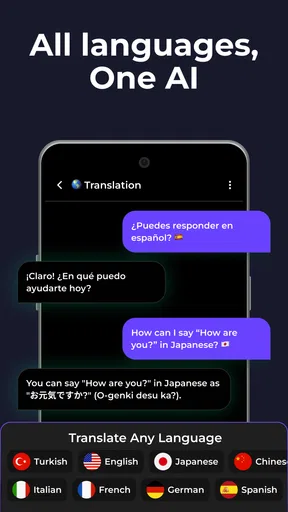
- Supports multiple languages.
- Customizable settings for user preferences.
- Free version offers extensive features.
Cons
- Occasional inaccuracies in responses.
- Limited integration with other apps.
- Requires stable internet connection.
- Ads in free version can be intrusive.
- Premium features are pricey.
FAQs for AI! Chatbot Agent-Ask & Chat
What platforms is AI! Chatbot Agent-Ask & Chat available on?
AI! Chatbot Agent-Ask & Chat is available for both Android and iOS devices. Users can download the app from the Google Play Store for Android or the Apple App Store for iOS. Ensure your device meets the minimum system requirements for smooth operation.
How does AI! Chatbot Agent-Ask & Chat ensure user privacy?
AI! Chatbot Agent-Ask & Chat prioritizes user privacy by implementing robust security measures. Conversations are encrypted, and the app does not store personal data on its servers. Users can review the privacy policy directly within the app to understand how their data is managed.
Can AI! Chatbot Agent-Ask & Chat handle multiple languages?
Yes, AI! Chatbot Agent-Ask & Chat supports multiple languages, making it accessible to a global user base. Users can easily switch between languages in the settings menu, allowing for a personalized and seamless interaction experience regardless of language preference.
What features does AI! Chatbot Agent-Ask & Chat offer?
AI! Chatbot Agent-Ask & Chat offers a range of features including natural language processing, context-aware responses, and a user-friendly interface. The app can assist with answering questions, providing recommendations, and engaging in casual conversations. Regular updates ensure the addition of new features and improvements.
Is there a cost to use AI! Chatbot Agent-Ask & Chat?
AI! Chatbot Agent-Ask & Chat is free to download, but it may offer in-app purchases or subscription options for premium features. Users can enjoy basic functionalities at no cost, but exploring paid options could enhance their experience with additional features and customization options.


